MIPI I3C CTS (Conformance Test Suite)
Target and Controller I3C conformance testing on one platform
Pre-conformance testing that follows the MIPI I3C CTS test catalog. With an Acute DSO attached, Controller timing and voltage are measured and judged against the specification in the same run.
Features at a glance Details for each row follow in the sections below
| Feature | Key figure | Description | |
|---|---|---|---|
| Target DUT testing | 25 / 25All Section 2 items | Bus operation, CCC, error detection and recovery (TE0–TE5), RSTACT; try the flow first with an emulated Target on the Exerciser. | §1 |
| Controller DUT testing | 30 / 31Section 1 items | CCC, IBI handling, HDR Exit / Restart Pattern, error handling; 1.1.9 arbitration supports 10 of the 15 combinations. | §1 |
| Automatic timing and voltage verdicts | Same runAcute DSO required | Eight Section 1 items also measure tCAS, tCR / tCF, VOL / VOH and more; each value is judged against the MIPI I3C v1.2 limits and listed with the limits applied. | §2 |
| Verdicts you can trust | N/A ≠ Pass | An invalid measurement is never a DUT failure; an item without a verdict is N/A; every result jumps to its waveform with one click. | §3 |
| Real Controller devices | Manual / auto | Operate by hand with prompts and a countdown, or have each step call your own program (.exe / .bat); four reset options. | §4 |
| Automation | API + CLI | HTTP API and the cts command line: settings, test selection, run and status, ready for CI; results saved as JSON. | §5 |
| Reports | EN / 中文 | HTML report with the waveform and decode view of every measurement; one-click Result Analysis report in English or Chinese, explaining possible non-conformance and how to confirm it. | §5 |
What you need
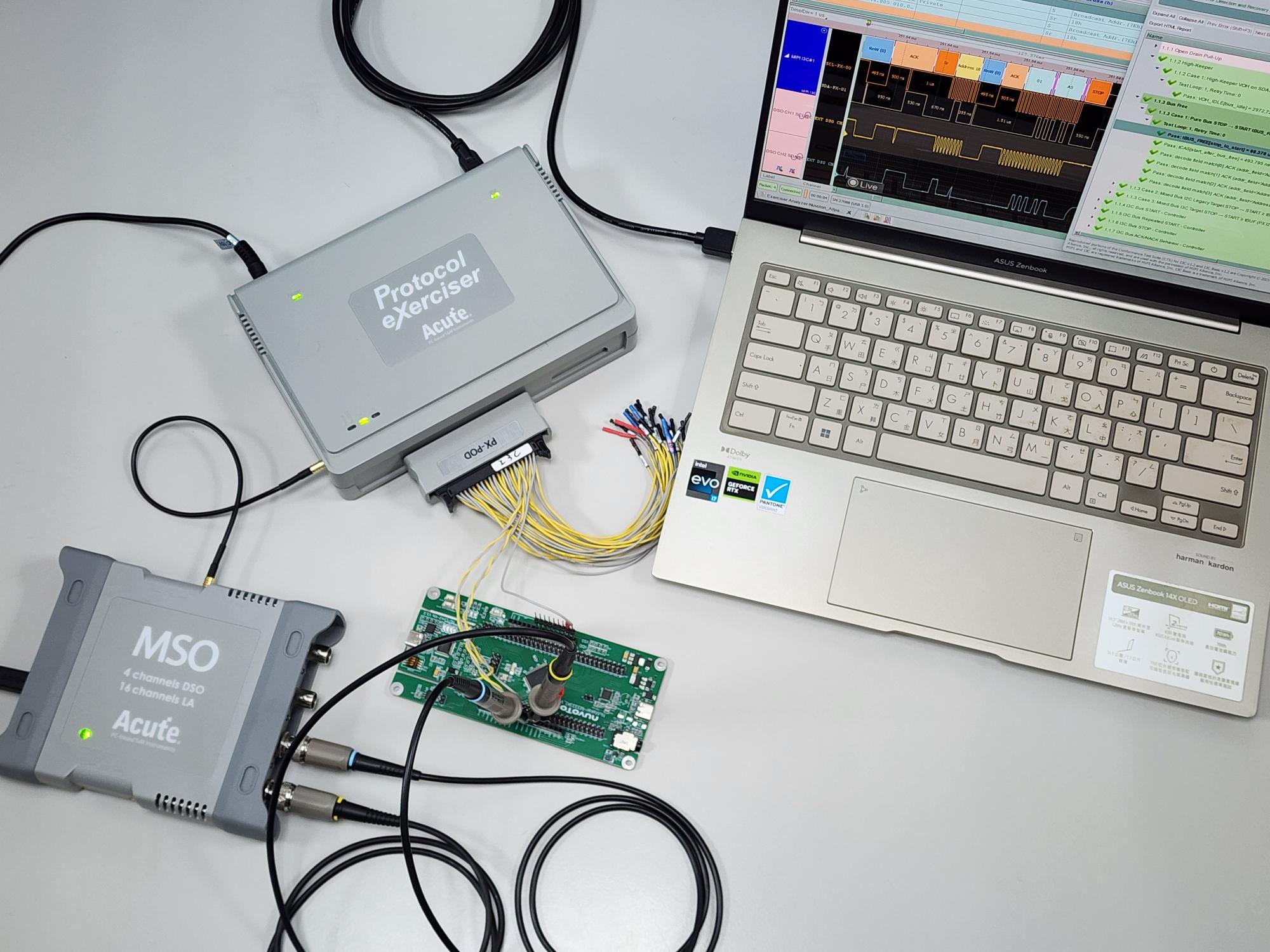
- Basic: Acute Protocol Exerciser + I3C CTS Application
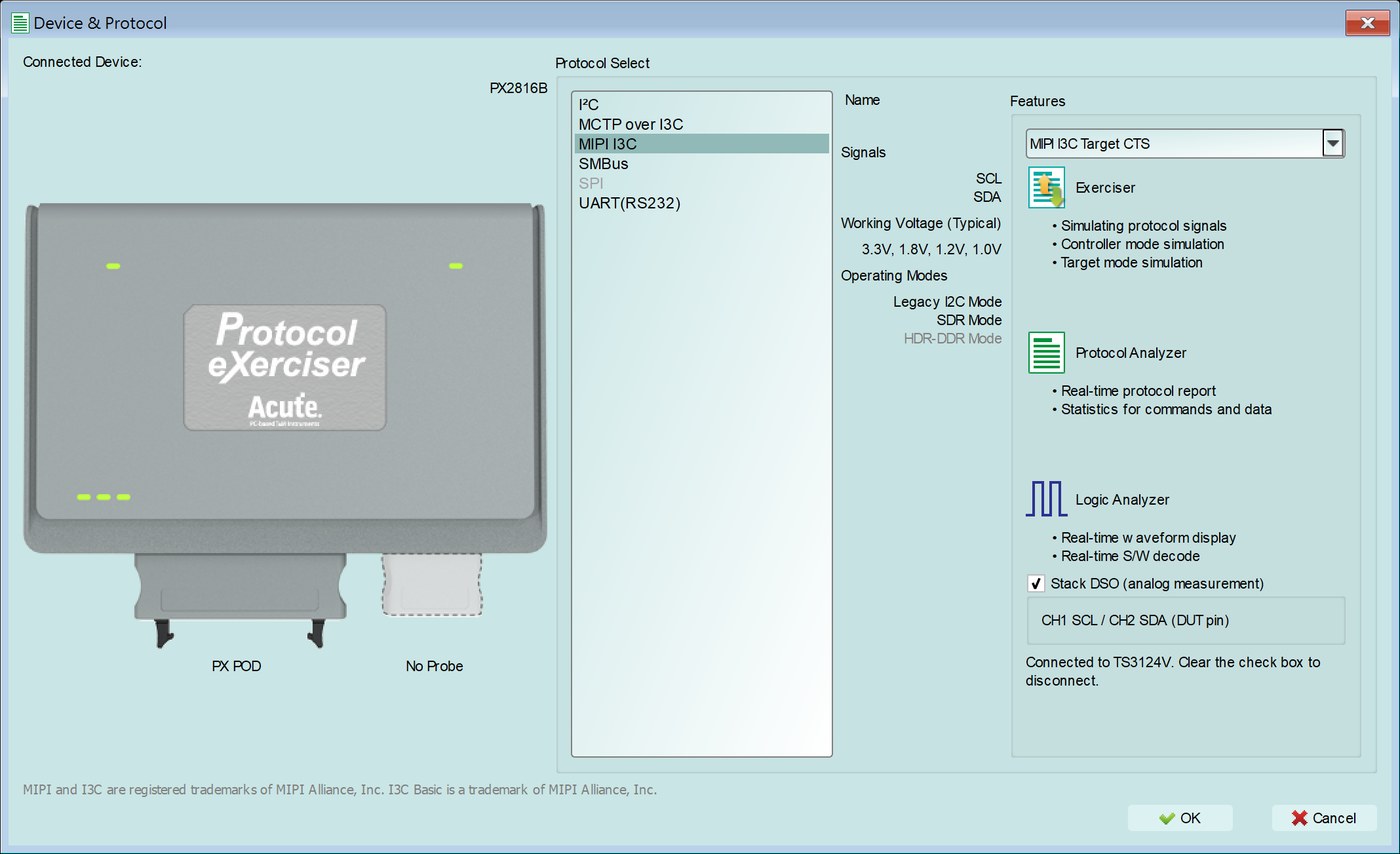
- Timing and voltage measurement: Acute DSO MSO3124V or TS3124V, two 10X probes, MCX-MCX trigger cable
- Error-handling items: the CTS reference Target provided by the Exerciser
- Optional: your own Controller control program (unattended runs)
Not covered
- Higher-layer protocol conformance (MCTP, SPDM over I3C, etc.)
- HDR-TSP / TSL / BT data transfer and multilane
- A built-in scope (analog measurement needs an external Acute DSO, the two models above only)
The application runs pre-conformance checks based on the MIPI I3C CTS for development and debugging. Results do not constitute official MIPI Alliance conformance certification.
Feature details follow ↓
1. Follows the MIPI I3C CTS test catalog, for Target and Controller DUTs
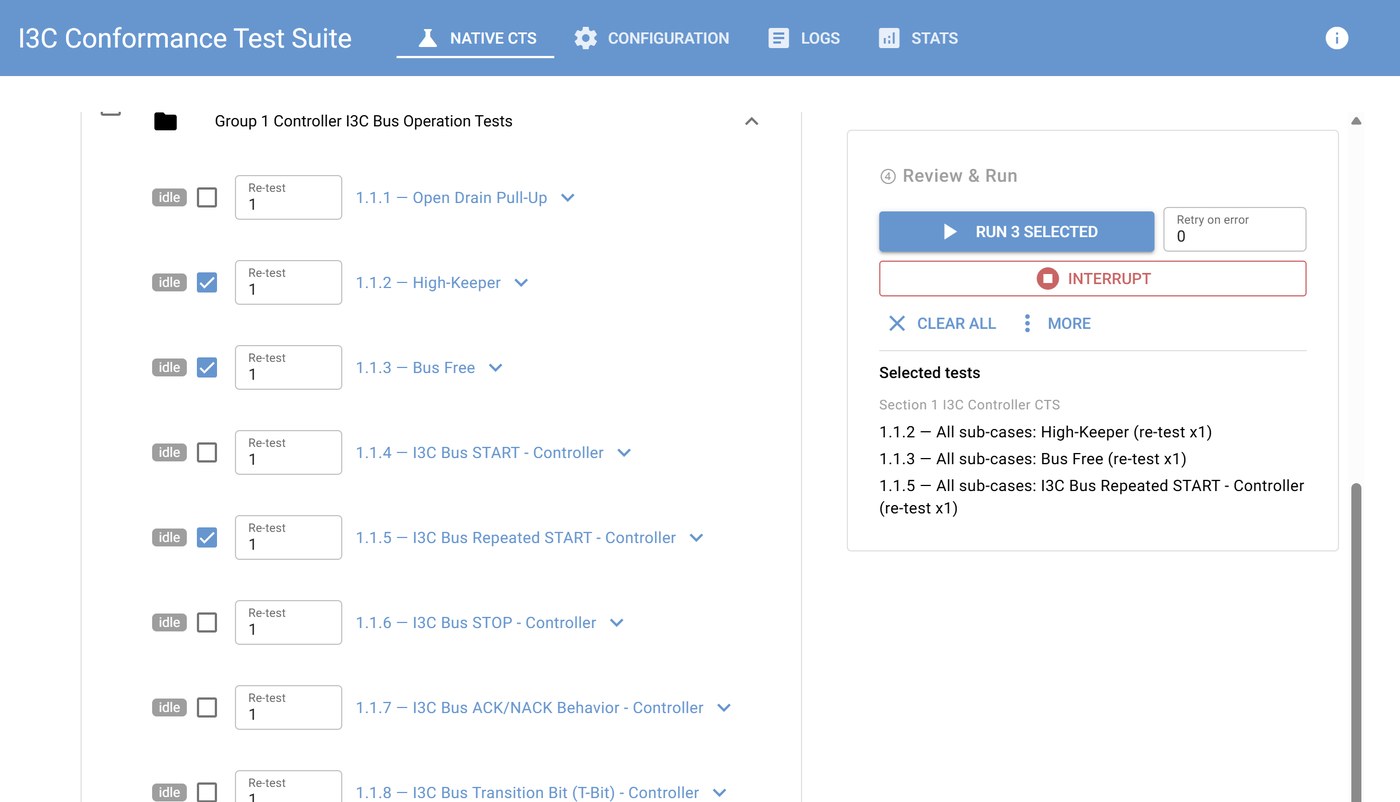
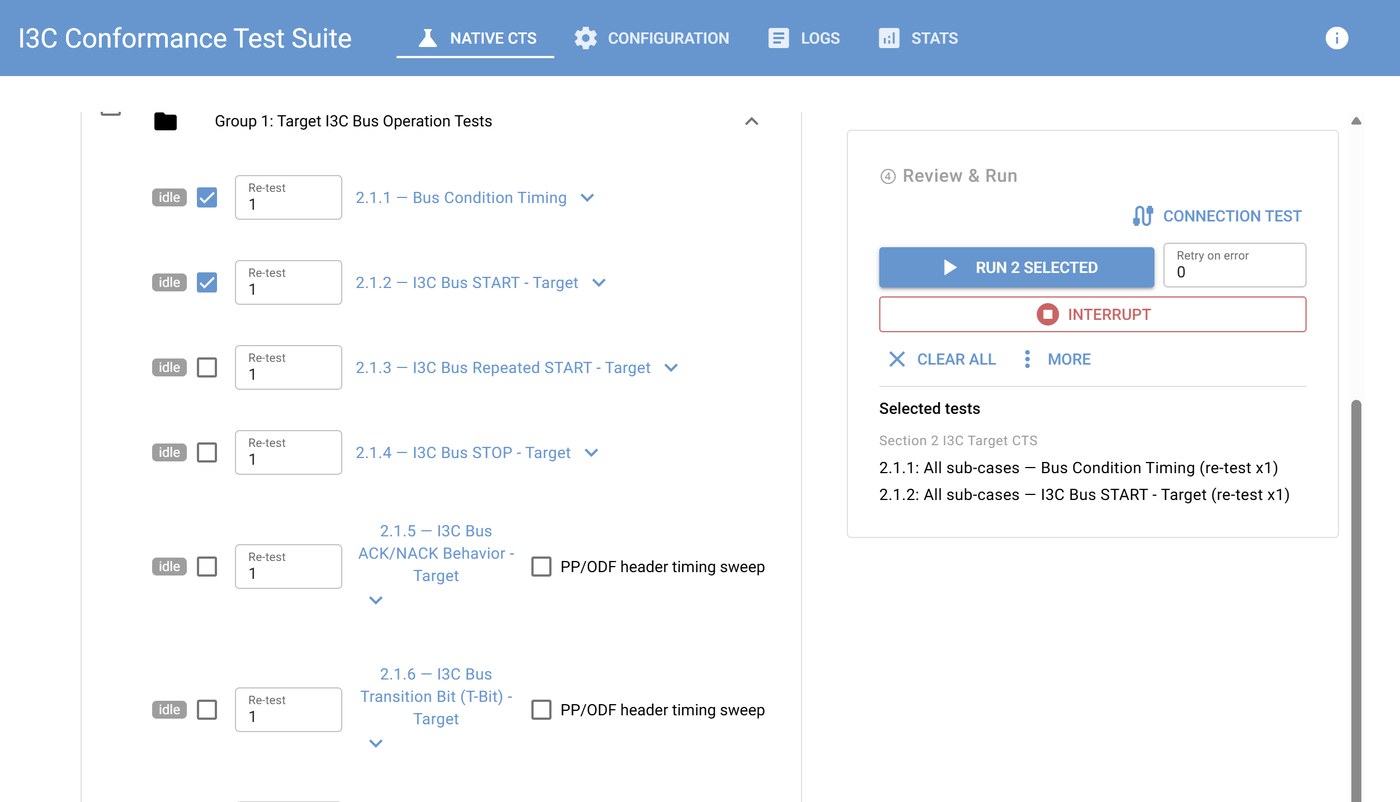
- Test items are organized by Section and Group exactly as in the MIPI I3C CTS v1.0 (for I3C v1.2 and I3C Basic v1.2) catalog, with individual sub-cases selectable.
- Section 2 — I3C Target DUT: all 25 test items, including bus operation, CCC, error detection and recovery (TE0–TE5) and RSTACT.
- Section 1 — I3C Controller DUT: 30 of the 31 test items in the catalog, including CCC, IBI handling, HDR Exit / Restart Pattern generation and error-handling items; 1.1.9 arbitration supports 10 of the 15 combinations.
- Address assignment by ENTDAA, SETDASA or SETAASA to match how your device is initialized.
2. Electrical and timing checks inside the same test run
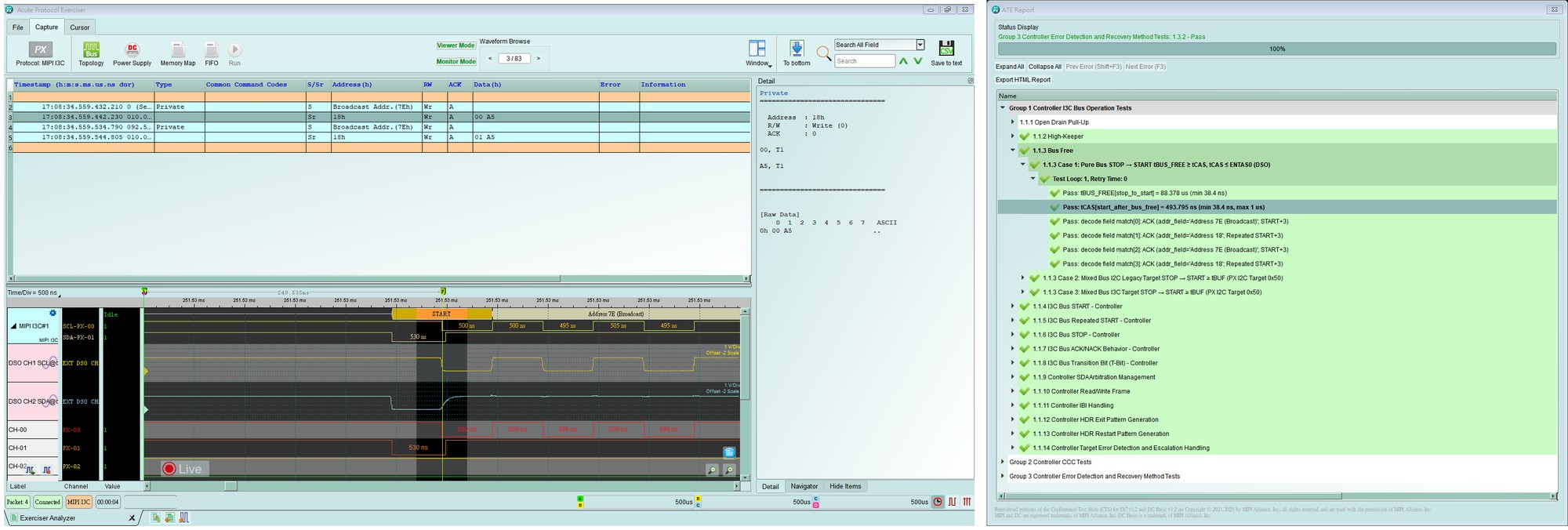
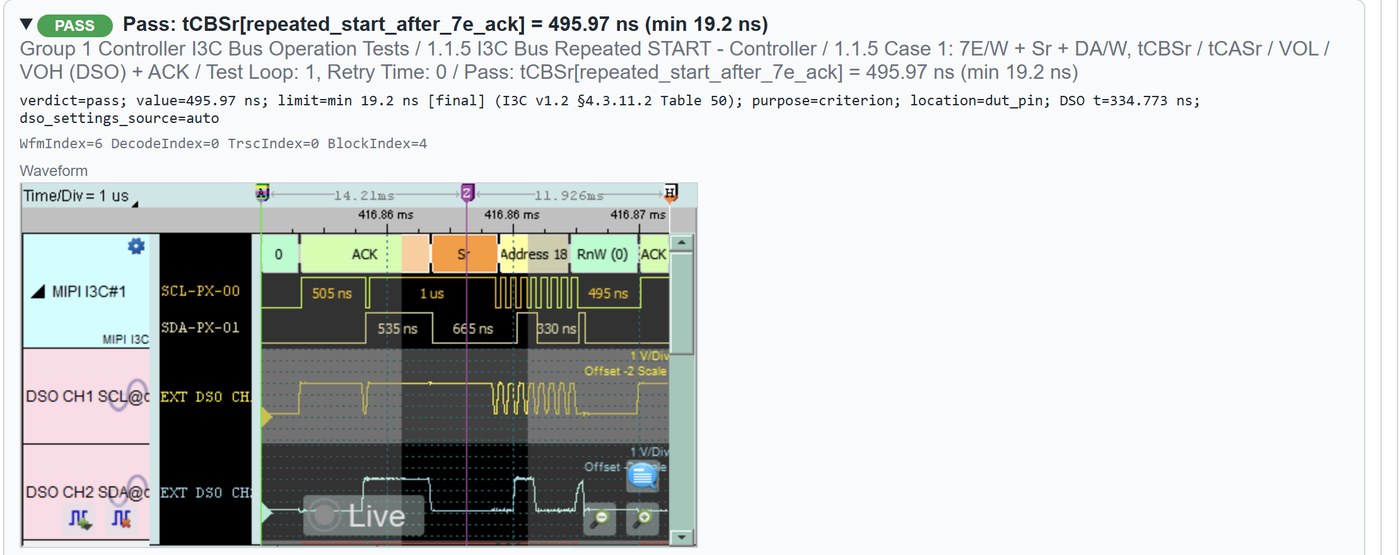
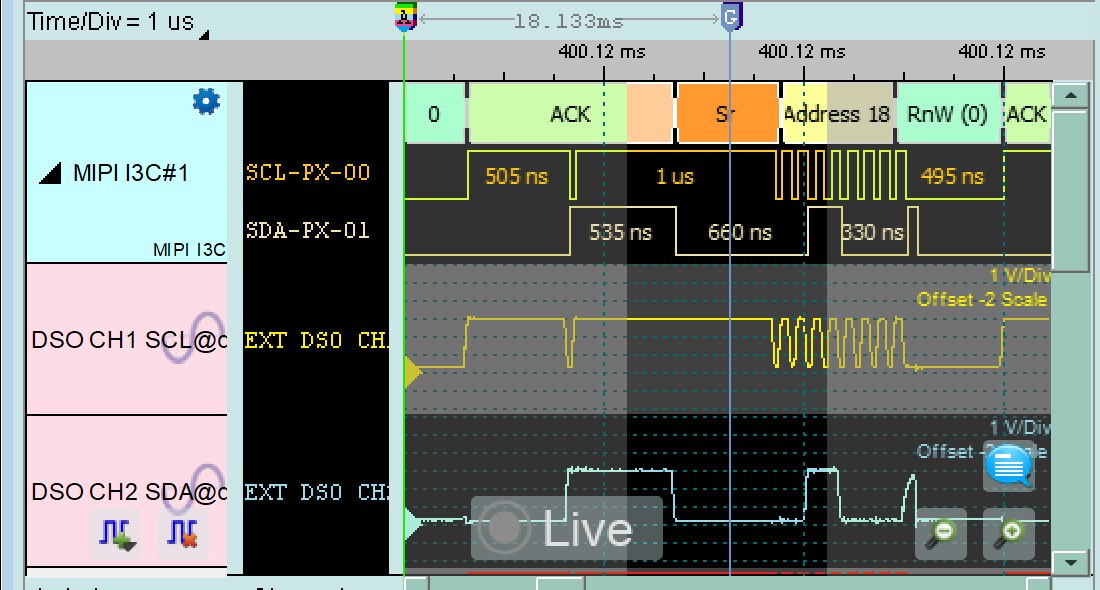
- With an Acute DSO attached, Section 1 items 1.1.1–1.1.6, 1.1.12 and 1.1.13 measure timing (tCAS, tCBP, tCASr, tCBSr, tBUS_FREE, tLOW_OD, tCR, tCF, trDA_OD, tfDA_OD, tDS_OD, tSU_OD, and the HDR Exit / Restart Pattern timings) and voltage (VOL / VOH on SCL and SDA, VOH at Bus Idle).
- The DSO is triggered together with the bus capture, so every measurement belongs to the exact bus event under test.
- Each value is judged against the MIPI I3C v1.2 limits and reported together with the limits that were applied.
3. Verdicts you can trust
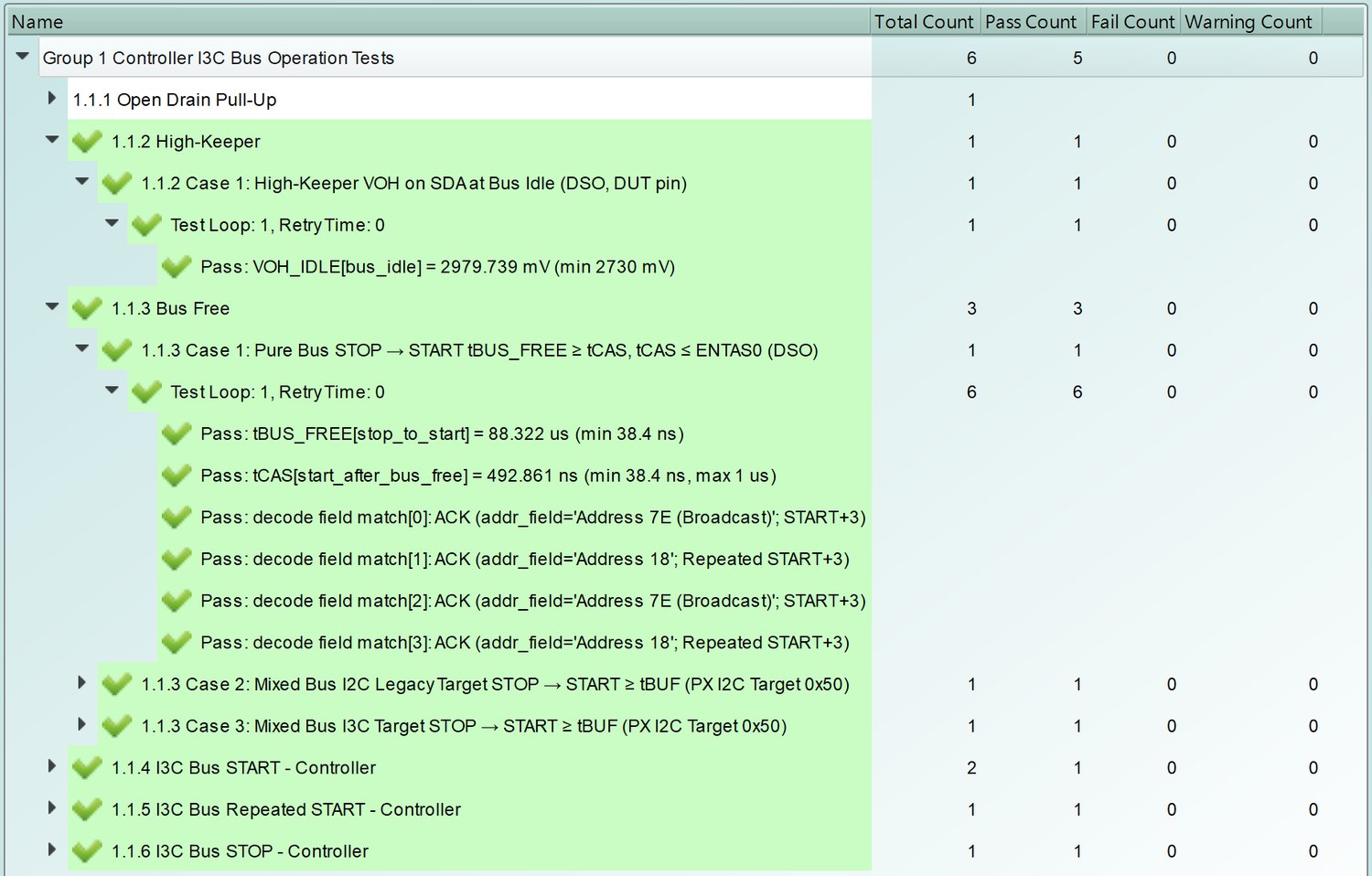
- An invalid measurement (no edge found, clipped waveform, DSO not triggered…) is recorded as invalid or not run — never as a DUT failure.
- An item without a verdict is reported as N/A — never as a Pass.
- Voltage results within the DSO"s DC accuracy are flagged as marginal; DSO setup warnings are attached to the result.
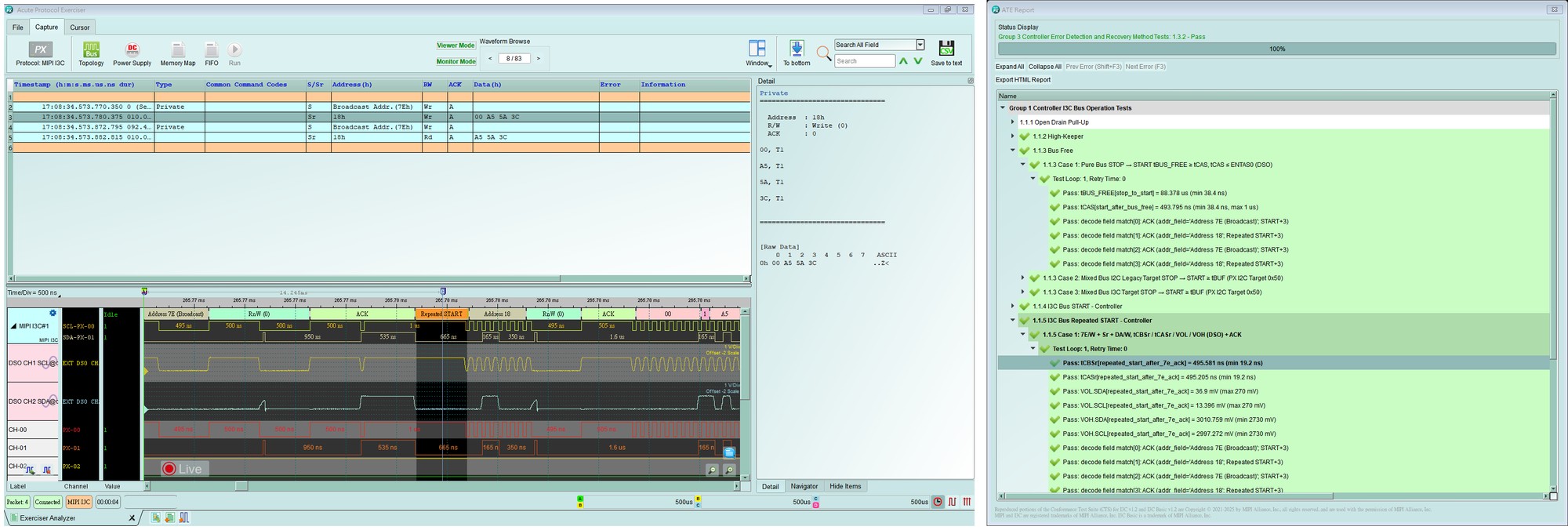
- Every failure and analog measurement records its waveform position, so you can jump straight to the matching waveform on the Exerciser.
4. Built for real Controller devices
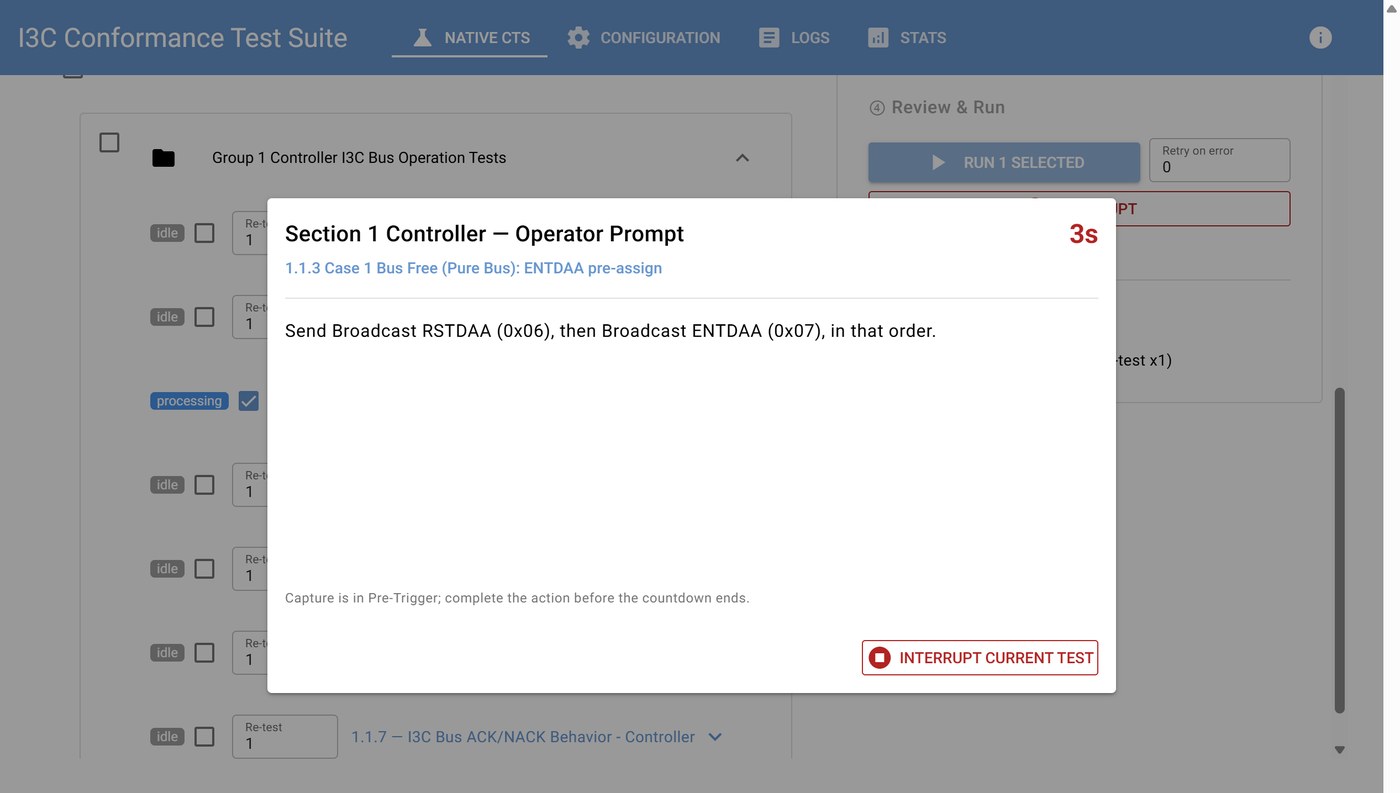
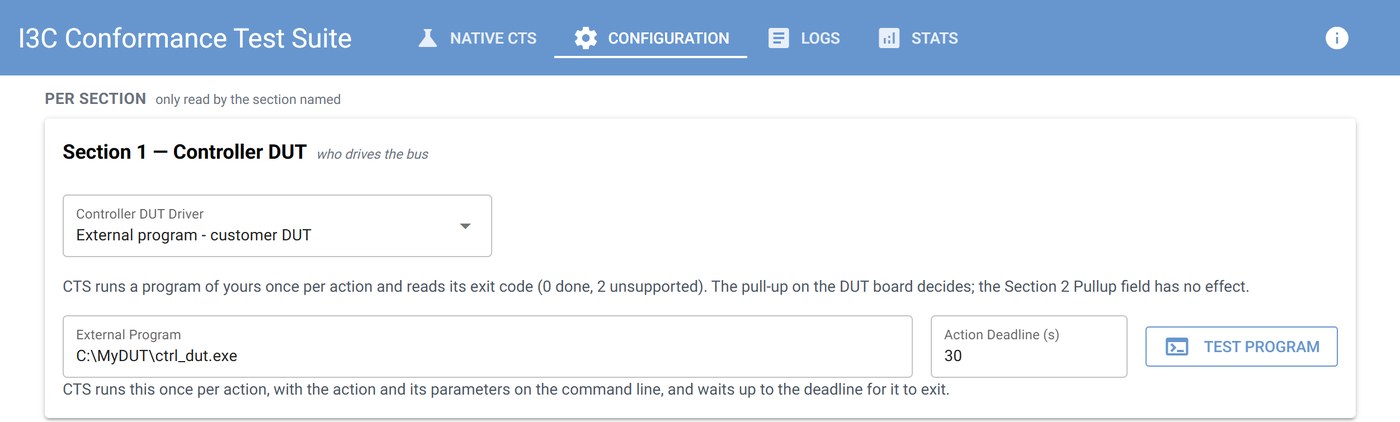
- Drive your Controller DUT by hand with on-screen prompts and a countdown, or let the CTS call your own program for each step (
.exe/.bat, with a simple exit-code convention). - Your Controller SDK can poll the trigger state (ready / captured / timed out) to know when to send the next command.
- Actions your controller does not support are recorded as N/A immediately, with no waiting for a timeout.
- For the "first START after reset" test, reset the DUT through your program, a power cycle from the Exerciser"s DC output, a GPIO pulse to the reset pin, or by hand.
- Error-handling items (1.1.14, 1.2.14, 1.3.1, 1.3.2) require the CTS reference Target provided by the Exerciser, which injects the errors on purpose.
5. Automation and reporting
- HTTP API and the
ctscommand-line tool: change settings, select tests (2.1.*,2.1.10.1-3…), run, interrupt and query status from CI or any language. - Results are saved as JSON and can be exported and re-imported; the Exerciser"s ATE Report shows progress live and can be exported as HTML after the run.
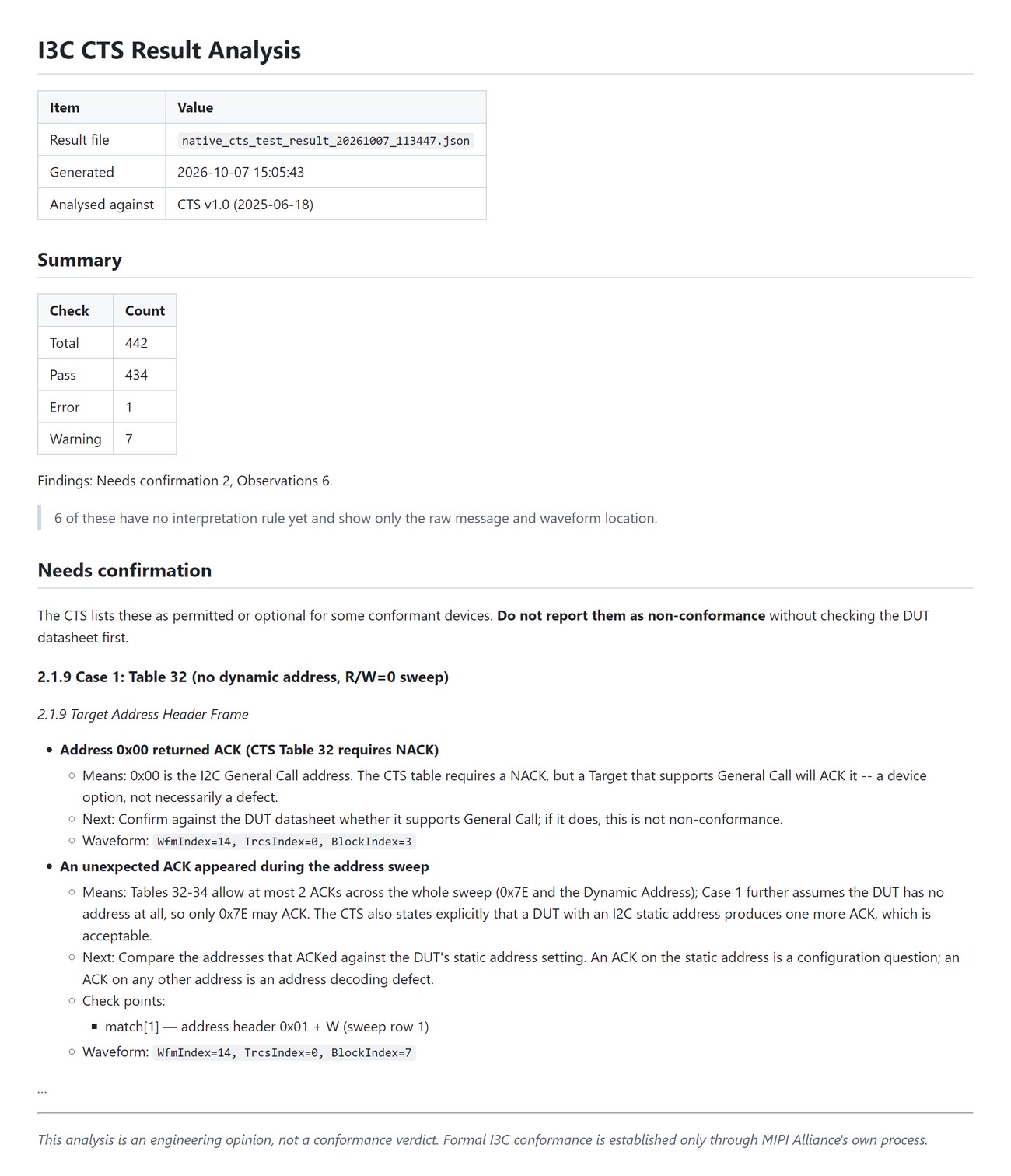
- One-click Result Analysis report in English or Traditional Chinese: for each finding, what may be non-conformant, why, and how to confirm it, with the waveform position.
# connect once; later commands reuse the address
cts connect http://10.0.0.5:6060

# bench settings and test selection
cts config set bus.voltage 1800 ui.section 2
cts config enable 2.1.2,2.1.10.1
cts config retest 2.1.1.1 3

# run and wait (for CI), or interrupt
cts operation run --wait --run-timeout 1800
cts operation interrupt

# status for scripts and controller SDKs
cts status
cts status trigger.ready
cts --output json status
Typical use cases
- Regression in the lab or CI: script the whole run through the HTTP API or CLI and keep the JSON results for comparison between builds.
- Training and demos: the Exerciser can host an emulated Target, so the Section 2 flow can be shown without a physical device.
How we compare
| Acute I3C CTS | Typical protocol-analyzer-only solutions | |
|---|---|---|
| MIPI I3C CTS catalog for Target and Controller DUTs | ✓ Section 2: 25 / 25 · Section 1: 30 / 31 | Varies; often decode and traffic generation only |
| Controller timing and voltage (tCAS, tCR / tCF, VOL / VOH …) judged against the spec | ✓ automatically, in the same run (with Acute DSO) | Not measured, or needs a separate oscilloscope workflow |
| HTTP API + command line | ✓ | Varies |
The application runs pre-conformance checks based on the MIPI I3C CTS for development and debugging. Results do not constitute official MIPI Alliance conformance certification.
Scope and limitations: electrical measurement is provided for the Section 1 test items; it uses an external Acute DSO with probes and a trigger cable (not a built-in scope). Higher-layer protocol conformance test suites (for example MCTP or SPDM over I3C) are not covered by the I3C CTS Application. For HDR, the CTS items follow the catalog and cover HDR Enter / Exit / Restart and Tolerance; HDR-TSP / TSL / BT data transfer and multilane are not covered.
What you need
Basic (protocol tests, Section 1 and Section 2)
- Acute Protocol Exerciser and its host application
- I3C CTS Application 0.1.0 (launched from the Exerciser menu)
- PC with Chrome or Edge for the web interface
- Wiring: SCL and SDA each twisted with its own GND wire, ideally within about 15 cm
Error-handling items 1.1.14, 1.2.14, 1.3.1, 1.3.2
- Requires the CTS reference Target provided by the Exerciser
Analog measurement (Section 1 items 1.1.1–1.1.6, 1.1.12, 1.1.13)
- Protocol Exerciser software v1.1.6 or later
- Acute DSO MSO3124V or TS3124V with DSO software 1.9.81 or later
- Two 10X probes, compensated before use (CH1 = SCL, CH2 = SDA, at the DUT pins); a short ground spring or a Probe-to-BNC adapter is recommended
- MCX-MCX cable from the Exerciser"s Trigger Out to the DSO"s external trigger input (required)
Optional
- Your own controller-control program (
.exe/.bat) for unattended Section 1 runs - DUT powered from the Exerciser"s DC output (low-current DUTs) or a GPIO wire to the DUT reset pin, for the first-START reset options
Test setup